How to connect Shelly devices with the Zerofy app
To connect Shelly plugs (and otherr devices) with the Zerofy app you need to enter a Shelly server id and auth key in the Zerofy app. Please carry out the following steps:
1. Getting Shelly server id and auth_key from the Shelly app
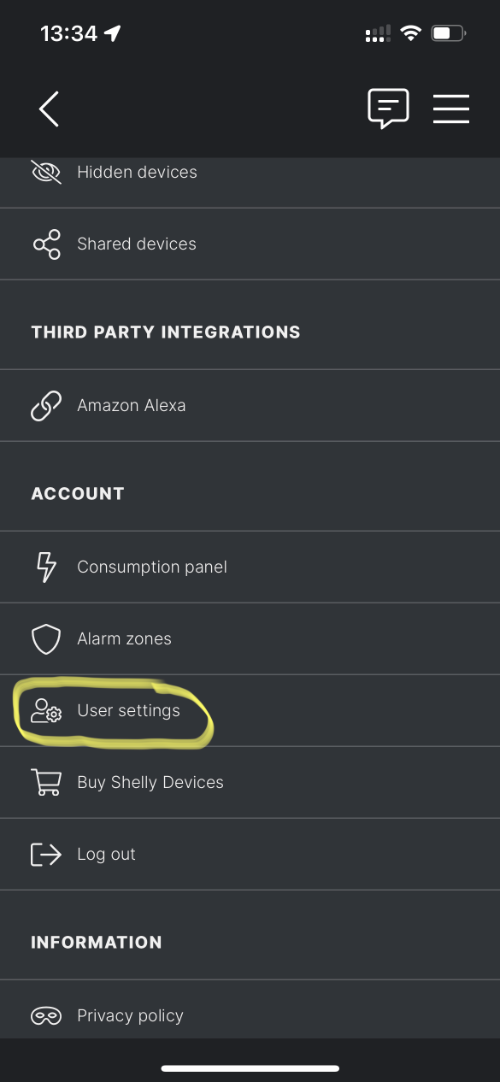
Open your Shelly mobile app and head to Menu.
In the section Account click on User Settings:
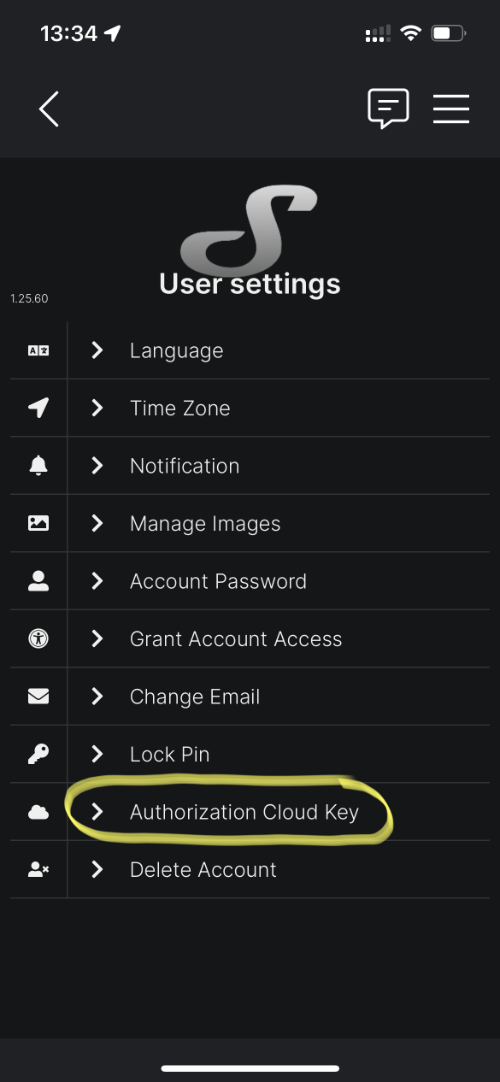
In User Settings click on Authorization Cloud Key
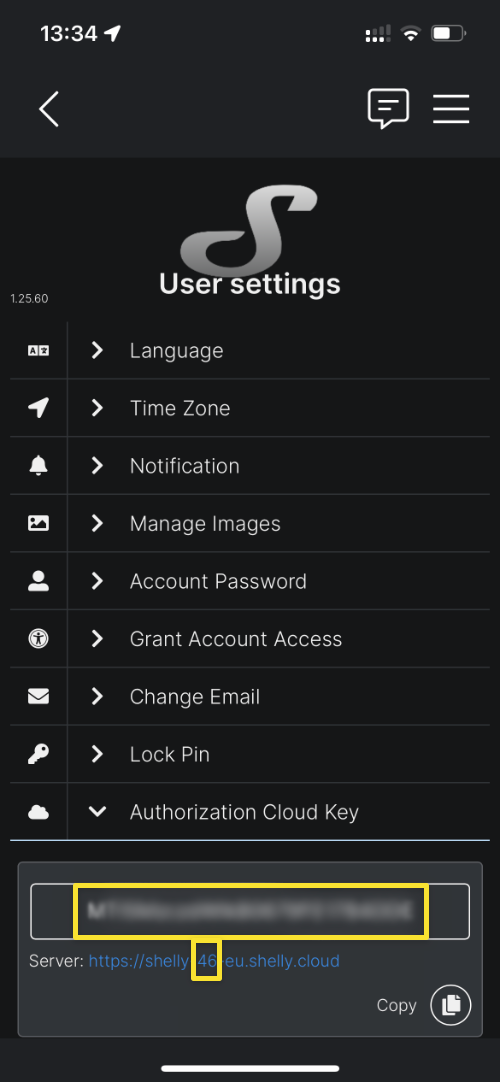
Copy the authorization key using the Copy button, and alss rememeber the server id number shown in the URL below the auth key:
2. Enter the server id and auth key in the Zerofy app
Go to Settings -> Smart Home -> Shelly -> Connect and enter they auth key and the server id in the form:
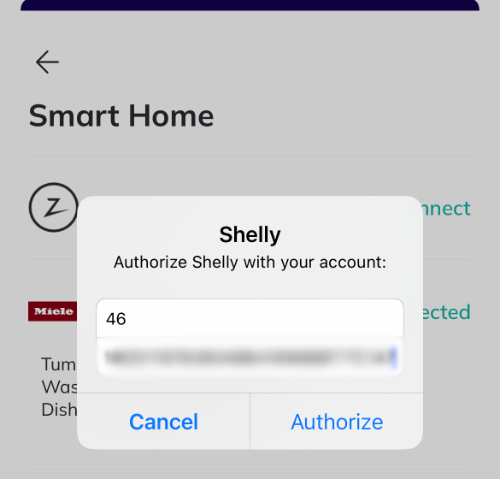
You can then choose which devices from your Shelly account to connect. Each connected device will report its energy use to Zerofy.
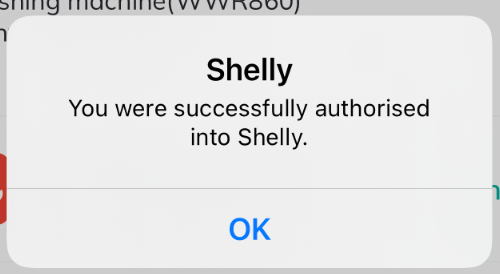
If everything works Shelly should connect and you see the success message as below. You will see emissions related to Shelly energy usage show up in the emissions tab approximatly an hour from when you connected (if devices were running)