Meet the new Autopilot: clearer, simpler, and rolling out now

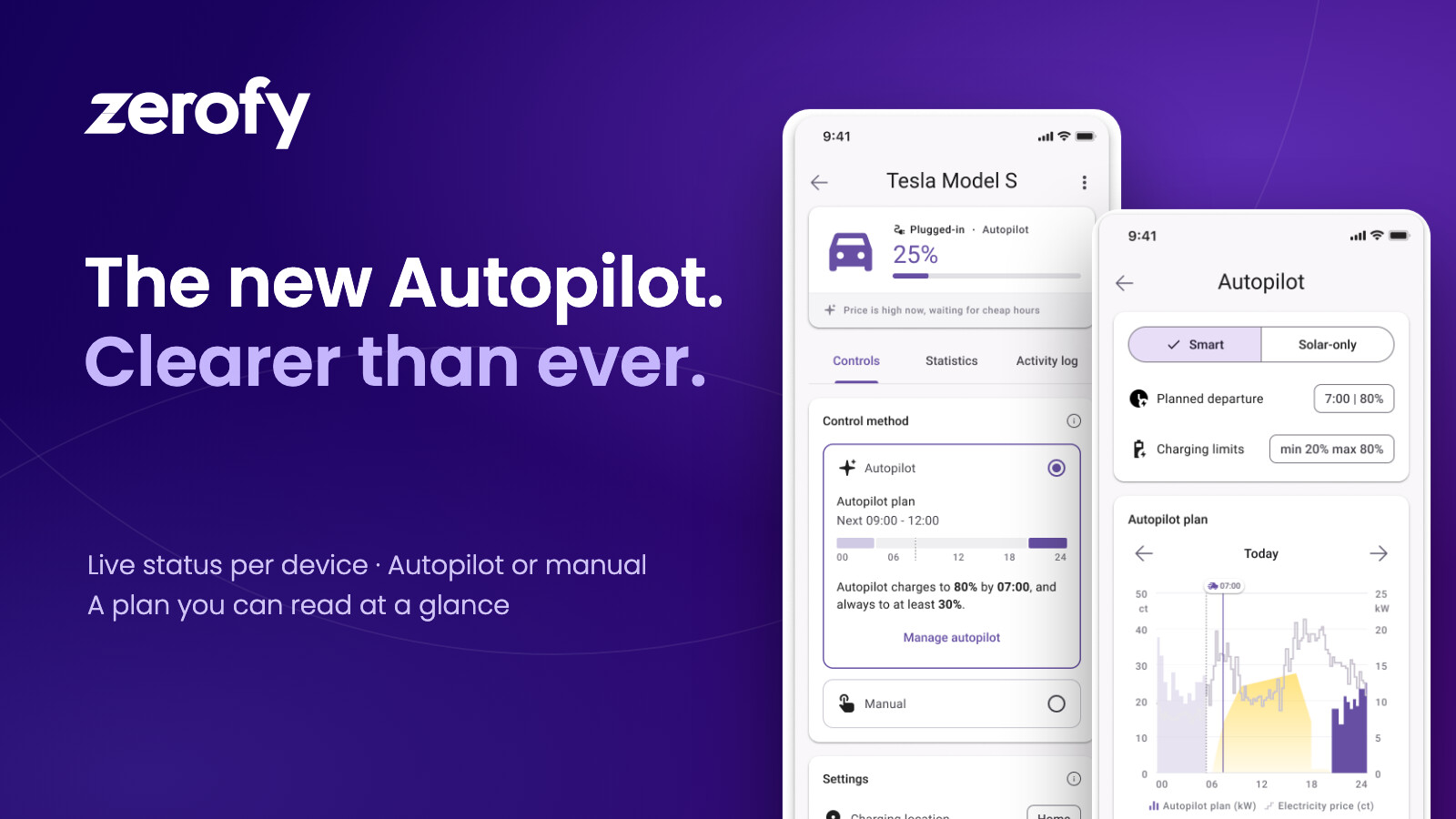
“What is Autopilot actually doing right now?”
It is the question we heard most from users. Autopilot was already making good decisions in the background, but the app did not always make them easy to see. So we rebuilt the Autopilot experience from the ground up, based on what we have learned in the market and on your feedback.
The new Autopilot is now rolling out to Zerofy users, step by step.
See what is happening at a glance
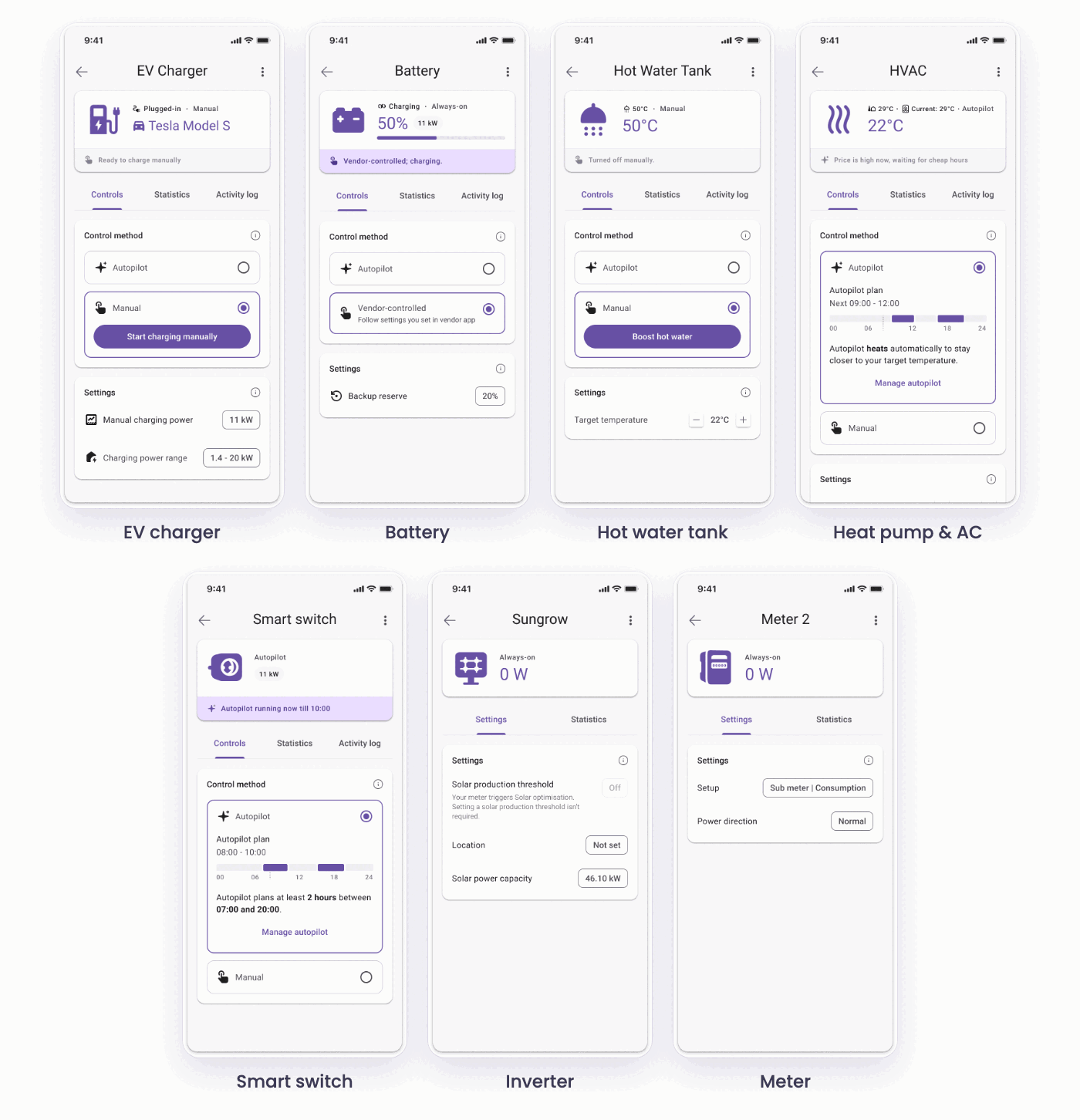
Every device now has its own screen, designed for that device type: EV chargers, batteries, hot water tanks, heat pumps and air conditioning, smart switches, inverters and meters.
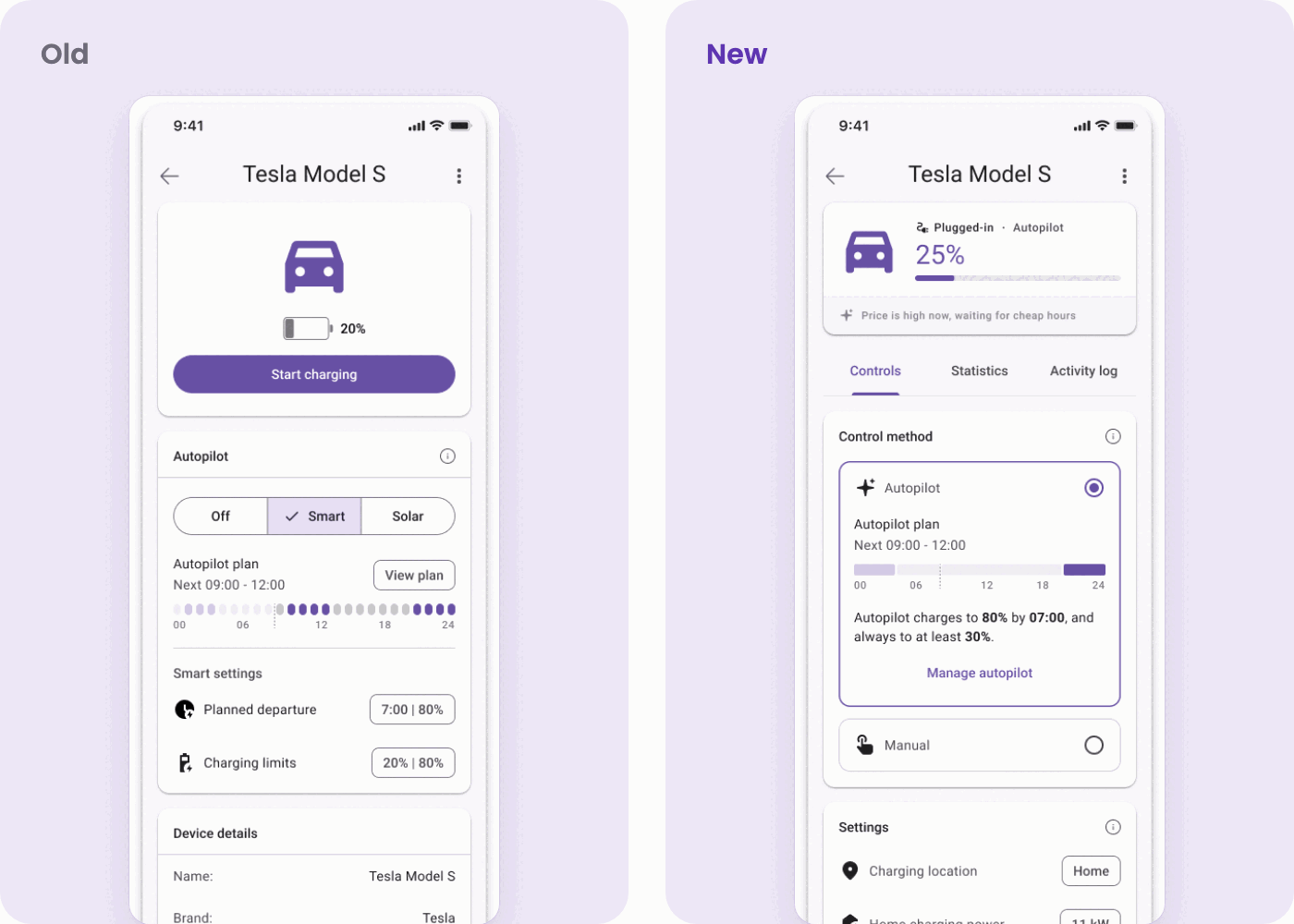
At the top you see a live status, redrawn from scratch. For an EV charger that is the car, its charge level and what Autopilot is doing with it right now, for example “Price is high now, waiting for cheap hours”. For a hot water tank it is the current temperature and whether it was turned off manually.
That space exists because of the single biggest change we made: the Start button is gone from the top of the screen. It used to sit directly above the Autopilot settings, which made it genuinely unclear who was steering the device. Starting the device by hand is now what the manual mode is, one of the two control methods, so the choice between Autopilot and manual is explicit rather than implied. Autopilot moves front and centre, and the top of the screen is free for what the device is actually doing.
One simple choice: Autopilot or manual
Each device has two clear modes: Autopilot or manual. Manual replaces the old Start button. When you want to take over, you can, and when you hand back to Autopilot, it picks up from there. Some devices add a third option where it makes sense, for example Vendor-controlled for a battery that you prefer to manage in the manufacturer’s own app.
Inside Autopilot you pick how it should run the device:
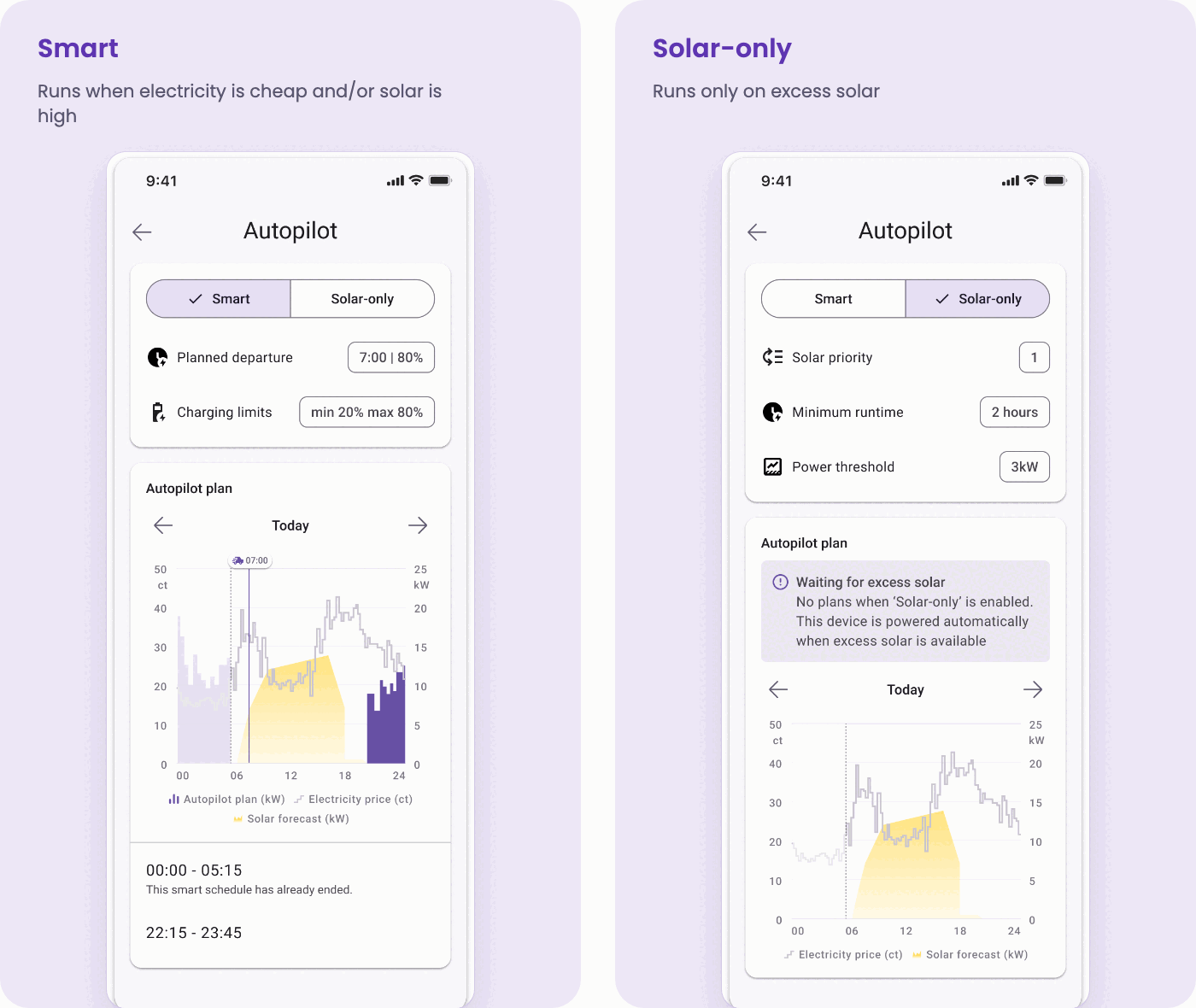
- Smart runs the device when electricity is cheap and/or when a lot of solar is forecast.
- Solar-only runs the device only on excess solar.
The mode is chosen in the Autopilot settings, which you open with Manage autopilot on the device screen. Each mode shows only the settings it actually needs: planned departure and charging limits for Smart, solar priority, minimum runtime and power threshold for Solar-only.
Plans that are easier to interpret
The at-a-glance plan on the device screen is not new, but it now shows the day at a finer granularity. In 15-minute resolution that would have meant ninety-six dots across the width of a phone, which stops being a chart and starts being a texture. So the dots became a bar: the same strip of time, with blocks that begin and end where the device actually runs.
Open Manage autopilot and you get the full version. The planned power is drawn over the electricity price and the solar forecast it was planned against, on one shared time axis, so you can see not only when the device runs but what made Autopilot pick those hours. For your EV, the departure time is marked right in the plan, so you can see when Autopilot will have the car ready.
Not every device reports a power value in kW. When there is nothing to draw inside the chart, the plan appears as the same bar directly underneath it, on the same axis, so the two still read as one picture.
The Autopilot dashboard on the Now screen has been rebuilt around the same idea: today’s plan as a timeline in 15-minute steps, with every device in one place.
Each device also gets two new tabs: Statistics and an Activity log that shows what Autopilot did and when.
Easier to get started
A new Autopilot onboarding walks you through the setup before Autopilot is switched on, so you know what it will do with your devices from the first minute.
How the rollout works
We are switching the new Autopilot on gradually, starting with a growing group of Zerofy users. That lets us watch closely, fix things fast and make sure everything works across the 80+ brands we support. If you do not see it yet, you will soon. There is nothing you need to do, just keep your app up to date.
Would you rather not wait? Ask in the in-app chat (top right on the main screen) to be among the first.
And of course we are rolling the new Autopilot out to our white-label partners as well.
We are collecting feedback throughout the rollout, so if there is something you want to tell us about the new Autopilot, the same chat is the fastest way to reach us. We read everything.
Autopilot was always smart. Now it is a lot easier to follow what it is doing.